Veko SeafoodGLOBAL SEAFOOD TRADING

RELIABLE SEAFOOD SUPPLY FROM AROUND THE WORLD

PARTNERSHIPS THAT CONNECT THE WORLD

Several sizes in one product

Keep different sizes together instead of creating duplicate products.

Process overview

  1. 1Open the editor
  2. 2Add a variant
  3. 3Check and save

Step by step

  1. Open the editor

    Open a product in My catalogue and choose editing.

  2. Add a variant

    Choose the size unit. Add a separate row for each size range and its packaging and availability.

  3. Check and save

    Review the rows and save. Shared product characteristics apply to every variant.
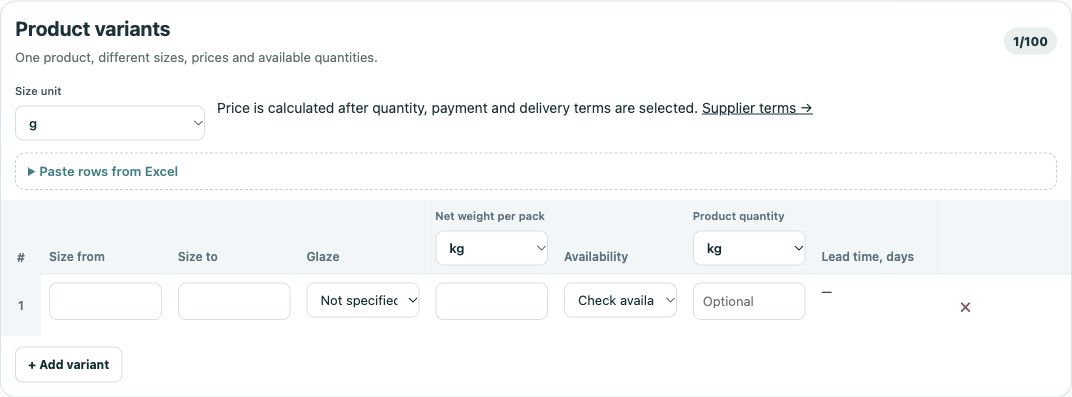
Product editor: an empty size-variant table. No company data is shown.
Open the tool